Main Features
vanStudio was built for musicians who need more than simple playback. It combines classic MIDI and karaoke usability with a modern workflow: SoundFont playback, external MIDI routing, editable lyrics, persistent per-song changes, and export tools for both rehearsal and content creation.
A Strong Alternative for vanBasco's-Style Workflows
If you want the immediacy of classic karaoke players but need SoundFonts, modern rendering, editable lyrics, live library management, and export-ready output, vanStudio fills that gap with a more complete production and performance workflow.
Dual Playback: External MIDI & SoundFont Engine
For users searching for a Windows MIDI karaoke player that can also behave like a SoundFont karaoke player, vanStudio covers both needs in one desktop app. Keep hardware-oriented playback through MIDI devices or move to a self-contained SoundFont setup for practice, stage prep or content export.
-
Library-Based MIDI Management
Load individual files or build larger libraries with recursive folder scanning, metadata analysis and saved playlist lists.
-
MIDI, KAR and Playlist Support
Work with .mid, .midi, .kar and vanStudio playlist files in one application oriented to rehearsal and live playback.
-
Custom SoundFont Playback
Load your own SF2 for software playback, or switch to the built-in GM mode when you want a fast, self-contained setup.
-
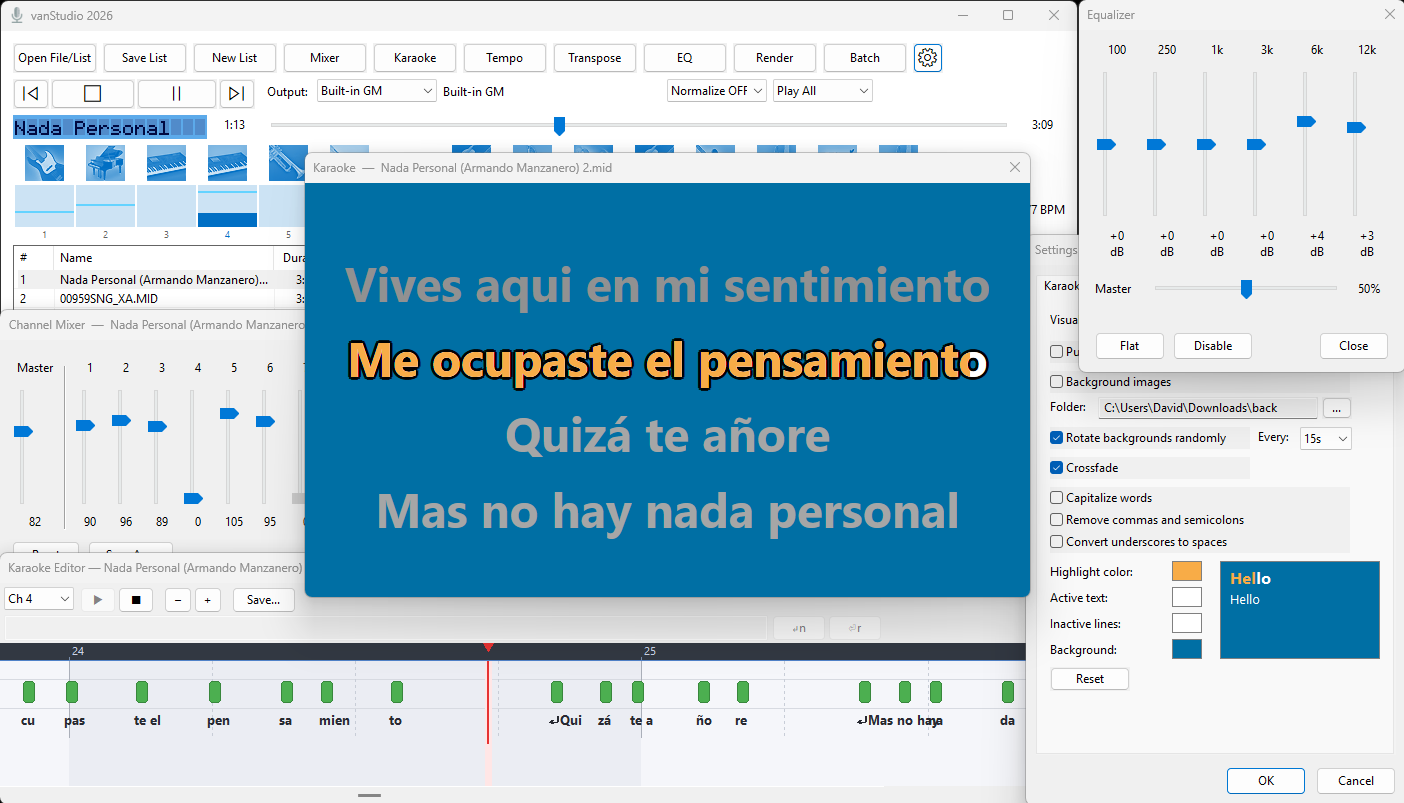
Karaoke Display with Classic and vanBasco's-Style Modes
Choose a classic scrolling view or an alternating lyric presentation inspired by the workflow many karaoke users already know.
-
Lyrics Editor with Persistent Changes
Save lyric edits per song and apply optional text cleanup such as capitalization, punctuation cleanup and underscore-to-space conversion.
-
Per-Song Transpose, Tempo and Voice Adjustments
Keep separate changes for transpose, voice selections and mixer state inside the library so songs reopen the way you left them.
-
WAV, MP3 and MP4 Export
Render audio or karaoke-ready video output directly from the app when working in SoundFont mode.
-
Live Presentation Controls
Add rotating background images, crossfades, visual animations, gap indicators and equalization for a more polished stage or screen experience.
Ideal Use Cases
- Live performers: manage playlists, transpose songs and route playback to external MIDI gear or SoundFonts.
- Karaoke hosts: display lyrics clearly, edit problematic text and render MP4 karaoke content for screens or online delivery.
- Home musicians: use built-in GM or custom SoundFonts without depending on hardware modules.
- Content creators: turn MIDI arrangements into audio or lyric video assets from one workflow.
Supported Formats
Input files: .mid, .midi, .kar and vanStudio playlist files (.mpl). Supports recursive folder scanning for batch library building.
Export formats: WAV, MP3 and MP4 (karaoke video with animated lyrics and rotating backgrounds). Export is available when using SoundFont or built-in GM playback mode.
Video Preview
Watch vanStudio in action - playback, karaoke display, SoundFont workflow and export:
Exported karaoke video demo - see the final rendered output with animated lyrics and backgrounds:
Screenshots
Get vanStudio
Full access to playback, karaoke, editing and export features. No demo, no lite version, no trial restrictions.
Full version only
MIDI playback, karaoke tools, SoundFonts and export workflow included
Windows 10/11
Specifications
- Version vanStudio 2026
- Output Formats WAV, MP3, MP4
- Platform Windows 10/11
- License Commercial
- Playback Engines External MIDI, custom SF2, built-in GM
- Languages English, Portuguese, Spanish, French, German, Italian, Japanese
System Requirements
- Operating System Windows 10/11 recommended
- RAM 4 GB minimum
- Audio Workflow SoundFont or built-in GM mode for render and export
- Best For Musicians, karaoke hosts, arrangers and content creators